
Aucun produit dans le panier.
En stock
En stock
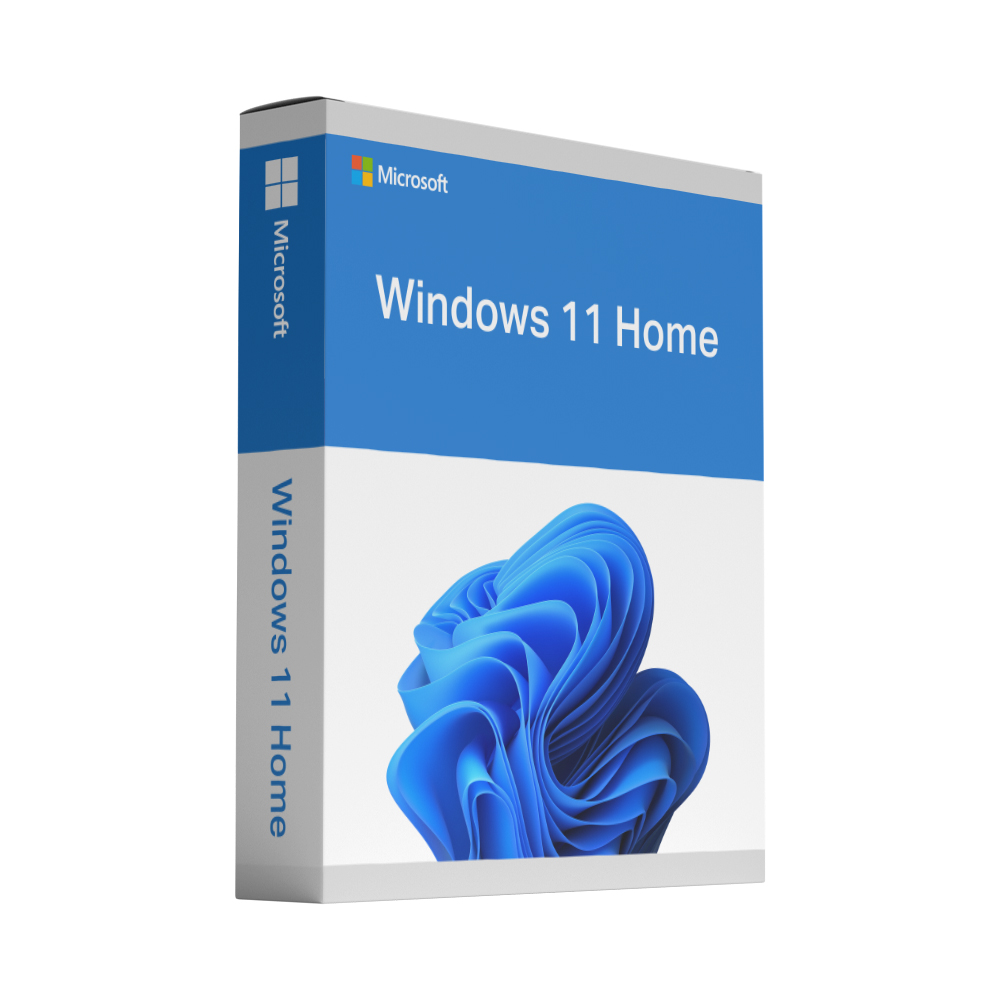
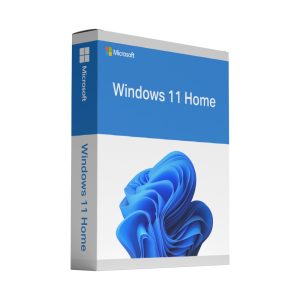
Clavier de Windows 11 Home for one PC – one-time payment, key by email in about 60 seconds, lifetime activation guarantee. Microsoft’s current operating system for private PCs and laptops, ready to activate.
£169.00 Le prix initial était : £169.00.£14.95Le prix actuel est : £14.95.
Instant livraison de la clé après l'achat
“easy to buy and good price, MS office works well”
★★★★★ Commande vérifiée · 7 octobre 2026 Paiement crypté
N'hésitez pas Contactez-nous
Buy a genuine Windows 11 Home key for one PC as a one-time payment – no subscription, no renewal. The product key, Microsoft’s official download link and a step-by-step guide are sent to your email in about 60 seconds after payment. Windows 11 Home is the right edition for private PCs and laptops: browsing, office work, media and gaming, with the redesigned desktop, Snap layouts, Windows Hello and the Microsoft Store included – and the licence is yours permanently.
For private PCs and laptops at home: browsing, Office, streaming, photos and gaming. BitLocker drive encryption, Remote Desktop as host, Hyper-V and domain join are reserved for the Clé de Windows 11 Pro – choose Pro if you work from home on a company network or handle sensitive data. Our guide Windows 11 Pro vs Home explique les différences.
Votre clé de produit et le lien de téléchargement sont envoyés à l’adresse e-mail que vous avez indiquée lors du paiement, directement après la confirmation de votre paiement – généralement en environ 60 secondes, 24 heures sur 24. Un guide d’activation étape par étape est inclus, et si une clé ne parvient pas à s’activer, nous la remplaçons gratuitement ou vous remboursons – à votre choix, pendant toute la durée de validité de la licence.
Windows 11 a des exigences matérielles – notamment TPM 2.0, Secure Boot et un processeur compatible. Veuillez vérifier que votre PC répond à ces exigences avant d’acheter ; la licence ne peut pas lever ces exigences. La clé ne peut être activée que sur un seul PC et reste associée à cette machine ; une réinstallation ou un réinitialisation du même PC sont donc incluses dans le prix.
For a private PC or laptop – browsing, office work, streaming and gaming – Windows 11 Home has everything you need: the full desktop, Snap layouts, Windows Hello sign-in, Microsoft Defender and the Microsoft Store. Pro only matters if you need BitLocker drive encryption, Remote Desktop as a host, Hyper-V or a company domain. Our guide to Windows 11 Pro vs Home explains the differences in detail.
Yes, at any time. Buy a Clé de Windows 11 Pro, open Settings › System › Activation, select Change product key and enter it; Windows upgrades the edition in place and restarts. There is no need to reinstall Windows, and your Home licence does not have to be removed first.
Windows 11 Home needs a compatible 64-bit processor with at least 1 GHz and two cores, 4 GB of RAM, 64 GB of storage, UEFI firmware with Secure Boot capability, TPM 2.0, DirectX 12-compatible graphics and a 720p display larger than 9 inches. Microsoft’s PC Health Check app shows whether your PC qualifies. The licence cannot lift these requirements, so check them before you buy.
Yes, if the PC meets the Windows 11 requirements. Run Microsoft’s Windows 11 installer from the link in your email over your existing system, choose to keep your files and apps, and enter the key when asked. Take a backup first and check the hardware requirements before you start; if the compatibility check fails, write to us before ordering.
Yes. Microsoft requires an internet connection and a Microsoft account during the initial set-up of Windows 11 Home; you can add further local or Microsoft accounts afterwards. The product key is entered during set-up or later under Settings › System › Activation, and linking the licence to your Microsoft account helps if you ever need to reactivate after a hardware change.
Yes. The licence stays with the PC it was activated on, so a reinstall or a reset of the same machine is covered; enter the key again if Windows asks for it. Should it ever fail to activate, our Garantie d'activation à vie applies and you choose a new key or a refund, in addition to your statutory rights.
Home cannot host Remote Desktop sessions, join a domain, use Group Policy or run Hyper-V, and it does not include BitLocker management – on supported devices Home offers the simpler device encryption instead. Everything else, from Windows Update and Windows Security to the Microsoft Store and gaming features, is the same. If you need one of the Pro features, choose the Clé de Windows 11 Pro instead.
Yes. Windows 11 is available only as a 64-bit operating system, so your PC needs a compatible 64-bit processor; there is no 32-bit edition. The key covers the 64-bit version, which you install with Microsoft’s official download from the link in your email.
Votre clé de produit arrive par e-mail environ 60 secondes après le paiement. Windows se télécharge directement chez Microsoft.
Quel que soit le problème, nous faisons en sorte que votre licence soit activée. Si une clé ne peut pas être activée, nous la remplaçons gratuitement – sans limite de durée.
Récupérez les fichiers d’installation sur la page de téléchargement officielle de Microsoft – toujours la version la plus récente, non modifiée.
Ouvrir la page de téléchargement MicrosoftMettez à niveau avec l’Assistant d’installation ou créez une clé USB avec l’outil Media Creation Tool pour une installation propre.
Ouvrez Paramètres › Système › Activation › Modifier la clé de produit et collez la clé reçue par e-mail.
L’activation se fait en ligne et ne prend généralement que quelques secondes.
Une question pendant l’installation ? Notre équipe vous aide sur WhatsApp ou via le formulaire de contact.
Recueillis de manière indépendante par Trusted Shops après chaque commande — non modérés, positifs comme négatifs. Il s'agit d'avis sur notre boutique : la livraison, les clés de licence et notre support. Ce ne sont pas des avis sur ce produit en particulier.
Évaluation de la boutique, collectée et vérifiée par Trusted Shops.
En stock
En stock
En stock
En stock
En stock
 <trp-post-container data-trp-p...
£169.00 Le prix initial était : £169.00.£14.95Le prix actuel est : £14.95.
En stock
Cadeau de bienvenue
10 % de réduction sur votre prochaine commande
Inscrivez-vous à notre newsletter : offres de licences et conseils. Votre code personnel s’affiche immédiatement.
Votre code personnel
Valable 30 jours, une seule utilisation, non cumulable avec d’autres codes. Nous vous l’avons aussi envoyé par e-mail.
Acheter maintenant →