
Please, enable Compare.

Instant delivery by emailBuyer protection by TheUnitySoftEncrypted checkout
Sale 88%

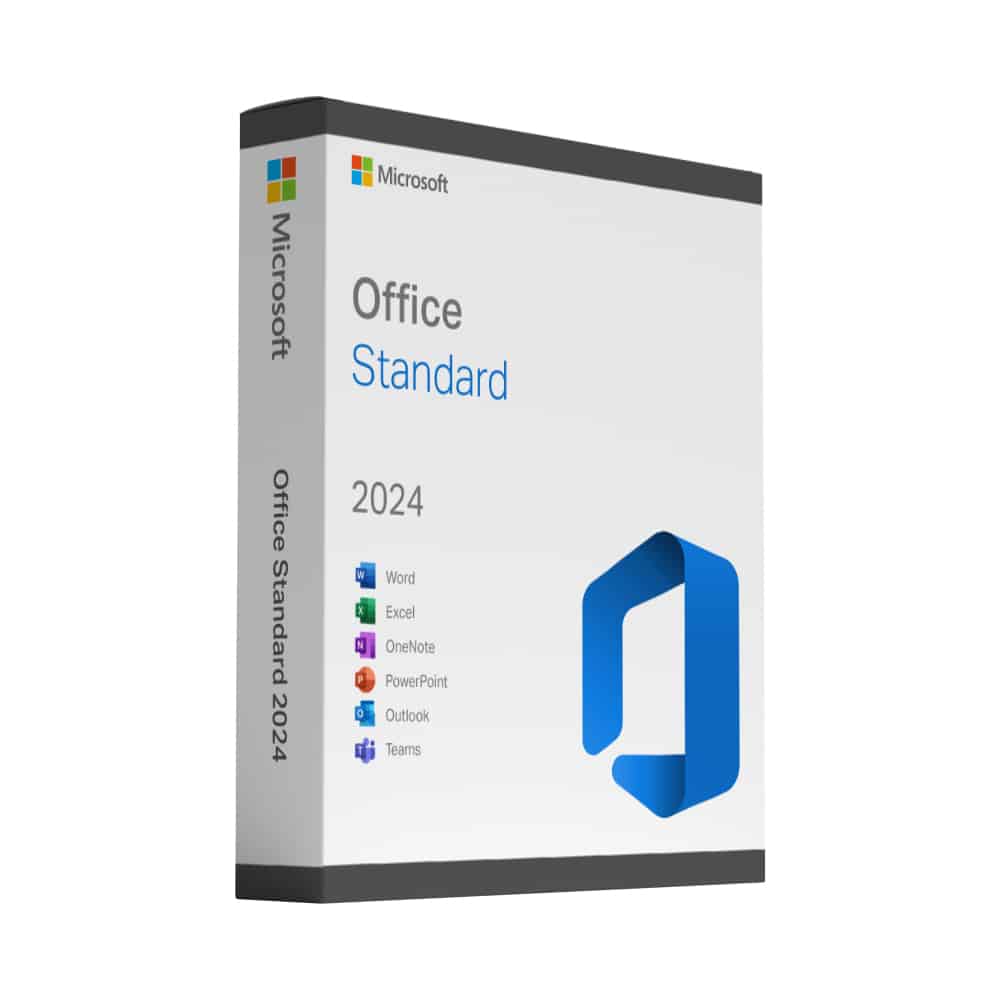
Microsoft Office 2024 Standard

Microsoft Office 2024 Standard is a one-time purchase for Windows – Word, Excel, PowerPoint and Outlook installed on your PC, with no monthly Microsoft 365 fee.

  • Lifetime Guarantee from an Official Reseller — Permanent licences have no expiry on the licensed device. If the supplied key fails to activate, we replace it free of charge.
  • Word, Excel, PowerPoint and Outlook for Windows
  • Perpetual licence for 1 PC – no renewal date
  • Standard edition: the core suite, without the database tools of Professional Plus

Original price was: £289.00.Current price is: £34.95.

Instant key delivery after purchase

or
4.72/5 Excellent Read reviews ↓ 1,349 reviews · collected independently by Trusted Shops

“Bought, downloaded, installed, registered, all within a few minutes. And best price around. Couldn't be any better.”

Verified order · 5 Oct 2026
Apple Pay, Google Pay, Mastercard, Stripe, VisaEncrypted checkout
Buyer protection by TheUnitySoft on every orderLifetime activation guarantee · replacement or refund4.72 · 1,349 Trusted Shops reviews
SKU: TUS-OFF-2024-STD Categories:

Have any Questions?

Feel free to Get in touch

Microsoft Office 2024 Standard

Microsoft Office 2024 Standard is the current perpetual version of the Office suite for Windows. You buy it once and keep it – there is no monthly fee and no renewal date. Word, Excel, PowerPoint and Outlook install locally on your PC, so your documents stay on your own machine and the programs work without an internet connection.

What is included

  • Word, Excel, PowerPoint and Outlook in the 2024 version
  • A perpetual licence for one Windows PC
  • Local installation – your files stay on your device
  • Security updates from Microsoft during the support period of this release

Who this licence is for

Office 2024 Standard suits anyone who writes documents, works with spreadsheets and manages email, and who prefers a one-off purchase to a running subscription. If you also need the Access database, the Office 2024 Professional Plus key is the better choice.

Delivery and activation

Your product key and the download link are sent to the email address you use at checkout, straight after your payment is confirmed. A step-by-step activation guide comes with it, and if a key ever fails to activate we replace it free of charge.

Good to know

This is a perpetual desktop licence, not a Microsoft 365 subscription. It does not include the online services, the additional cloud storage or the yearly feature updates that come with Microsoft 365.

Office 2024 Standard: frequently asked questions

Which applications are included in Office 2024 Standard?

Word, Excel, PowerPoint and Outlook in their 2024 versions, installed locally on one Windows PC. The Access database is not part of Standard – it is the main difference to Office 2024 Professional Plus. Teams and Publisher are not included in any Office 2024 edition.

Office 2024 Standard or Professional Plus – which should I choose?

Choose Standard if you write documents, work with spreadsheets, give presentations and manage email: it has the same Word, Excel, PowerPoint and Outlook as Professional Plus. Choose Professional Plus if you also need the Access database for your own databases and reports. Both are perpetual licences for one PC with a one-time payment.

Is Office 2024 Standard a one-time purchase, and what does Microsoft 365 add?

Yes – you pay once, there is no subscription and the licence has no renewal date. Microsoft 365 is a subscription that adds cloud storage, online services, installation on several devices and continuous feature updates; Office 2024 Standard gives you the desktop applications at a fixed price. Our article Office 2024 vs Microsoft 365 compares the two in detail.

Which Windows versions does Office 2024 Standard support?

Windows 10 and Windows 11, according to Microsoft. The licence is for Windows only; Mac users should look at Office 2024 Home & Business for Mac. You download the installation files from Microsoft using the link in your email.

How long will Office 2024 Standard be supported?

Microsoft supports Office 2024 for five years, until 10 October 2029. During that time you receive security updates; afterwards the applications keep working but no longer receive security fixes. The licence itself does not expire.

Does Office 2024 Standard include Teams or Copilot?

No. Microsoft does not include Teams in Office 2024 – it is available as a separate download from Microsoft if you need it – and Copilot and other AI features are part of Microsoft 365 subscriptions, not of the one-time purchase. Office 2024 receives security updates but no new feature updates.

Can I open and edit files from colleagues who use Microsoft 365?

Yes. Office 2024 uses the same file formats – .docx, .xlsx and .pptx – as Microsoft 365, so documents, spreadsheets and presentations can be exchanged in both directions. Functions that exist only in the newest Microsoft 365 releases may be displayed differently, but the files open and save normally.

Can I use Outlook 2024 with my existing email account?

Yes. Outlook 2024 works with the common account types, including Microsoft 365 and Exchange, Outlook.com, Gmail and IMAP/POP mailboxes from your provider. You add the account under File › Add Account with your email address and password; for Gmail you sign in through Google and allow access.
How activation works

Your product key and download link arrive by email about 60 seconds after payment.

Full activation guarantee

Whatever the problem, we make sure your licence gets activated. If a key cannot be activated, we replace it free of charge – with no time limit.

  1. 1
    Open the email

    Look for the email with your licence details – check the spam folder if you don’t see it.

  2. 2
    Download and install

    Download the installation file from the link in the email and run the installer.

  3. 3
    Enter your product key

    Enter the key from the email when the program asks for it.

  4. Activated

    Activation runs online and usually takes only a few seconds.

Questions during setup? Our team helps you on WhatsApp or via the contact form.

Reviews

What our customers say about TheUnitySoft

Collected independently by Trusted Shops after every order — unedited, good and bad. These are reviews of our shop: delivery, the licence keys and our support. They are not reviews of this individual product.

4.72Excellent1,349 reviews · Trusted Shops

Shop rating, collected and verified by Trusted Shops.

How these reviews are collected After every order Trusted Shops sends an invitation to review us. We cannot edit, select or delete what customers write — the reviews are stored and published by Trusted Shops, not by us.
Frequently asked questionsEverything buyers usually want to know before they order.
How quickly will I receive my licence key?
As soon as your payment is confirmed. Your key, the official download link and step-by-step instructions arrive by email. If nothing has arrived after a few minutes, check your spam folder and then get in touch; we will resend it straight away.
Is this a genuine licence?
Yes. Every key is a brand-new, unused manufacturer licence and stays valid permanently.
How long is the licence valid?
Permanently. You pay once and the licence does not expire. There is no subscription and no recurring fee.
On how many devices can I use it?
One device per licence. If you need several, simply order the matching quantity. For larger volumes write to us and we will quote you a price.
How do I activate my licence?
Your email contains the key, the download link and a step-by-step guide. Follow it once and the licence stays on your device permanently. If you would like someone to walk you through it, message us with your order number. Your purchase is also covered by TheUnitySoft buyer protection.
Where do I find my invoice and my keys?
In your account. Sign in and open My account → Orders — your licence keys, download links and the invoice for every order are stored there permanently.
Can I get help with installation?
Yes. Write to us by email or WhatsApp and a real person will help you with the download, the installation and the activation. Support is included, not an extra.
Still unsure about something? Talk to us — we answer every message.
Microsoft Office 2024 Standard – digital licence Microsoft Office 2024 Standard

Original price was: £289.00.Current price is: £34.95.

In stock

4.72Excellent1,349 reviews · Trusted Shops