
HomeMicrosoft ServerMicrosoft Server 2022 Datacenter
Instant delivery by emailBuyer protection by TheUnitySoftEncrypted checkout
Sale!
Microsoft Server

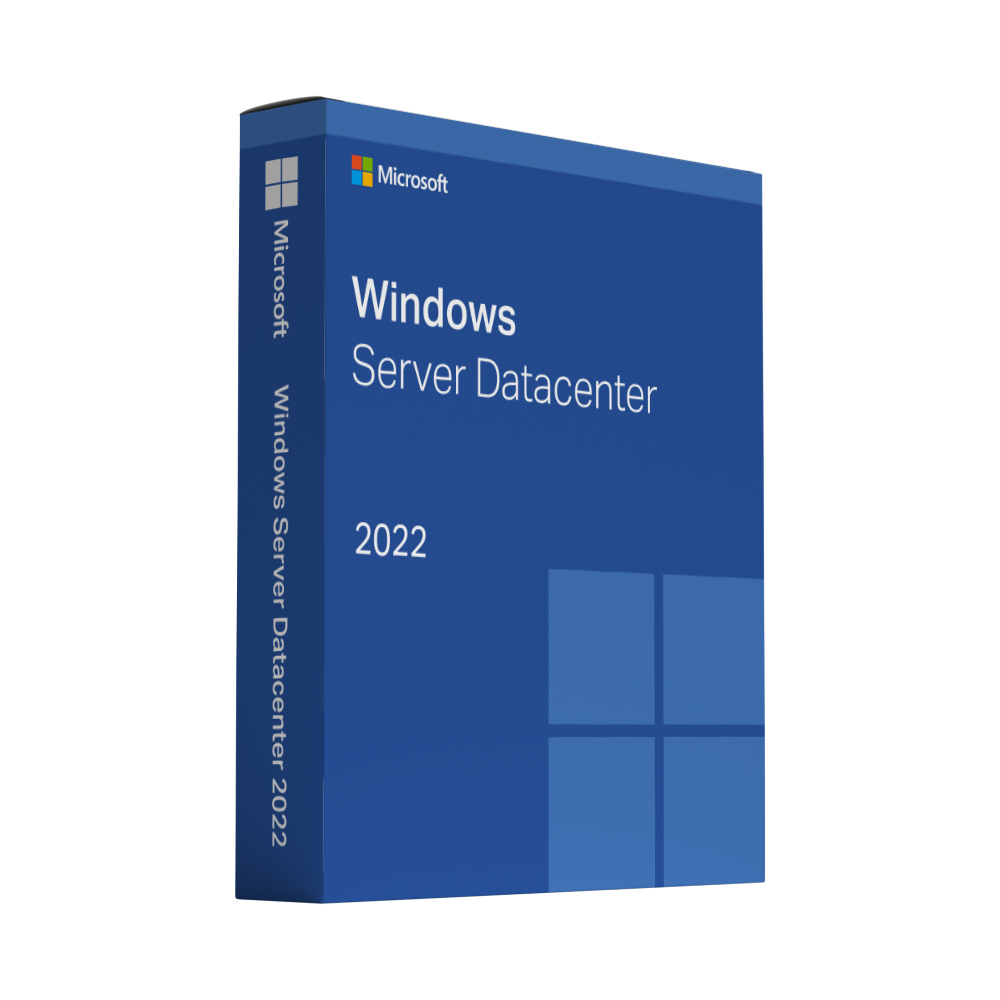
Microsoft Server 2022 Datacenter

In stock

Windows Server 2022 Datacenter is the edition for heavily virtualised data centres – the same server platform as Standard, with the virtualisation rights Standard does not include.

  • Lifetime Guarantee from an Official Reseller — Permanent licences have no expiry on the licensed device. If the supplied key fails to activate, we replace it free of charge.
  • Includes 50 version-compatible RDS User CALs, supplied with your purchase
  • Datacenter edition for virtualised and software-defined infrastructure
  • Storage Spaces Direct, software-defined networking and Hyper-V
  • Secured-core server features and TLS 1.3 enabled by default

Original price was: £2,499.00.Current price is: £299.00.Current offer

Instant key delivery after purchase

In stock

4.72/5 Excellent Read reviews ↓ 1,368 reviews · collected independently by Trusted Shops

“easy to buy and good price, MS office works well”

Verified order · 7 Oct 2026
Apple Pay, Google Pay, Mastercard, Stripe, VisaEncrypted checkout
Buyer protection by TheUnitySoft on every orderLifetime activation guarantee · replacement or refund4.72 · 1,368 Trusted Shops reviews

Description

Microsoft Windows Server 2022 Datacenter

Windows Server 2022 Datacenter is the edition for virtualised data centres. It offers the same platform as Standard plus the virtualisation rights and software-defined infrastructure features that heavier environments need.

Includes 50 RDS User CALs

This bundle includes 50 Remote Desktop Services (RDS) User Client Access Licences (CALs) compatible with Windows Server 2022. The RDS User CALs are supplied with your purchase and let 50 named users access the server via Remote Desktop from any device.

Adding the CALs to your server

The 50 RDS User CALs are installed on your own Remote Desktop license server and linked to your Windows Server version:

  1. Add the Remote Desktop Licensing role service and activate the license server.
  2. In Remote Desktop Licensing Manager, right-click the server, choose Install licenses, select your licence programme and enter the licence code you receive with your order.
  3. Select Windows Server 2022 as the product version, RDS Per User CAL as the licence type and 50 as the quantity.
  4. Set the licensing mode to Per User: in Server Manager under Deployment Properties › RD Licensing, or with the Group Policy “Set the Remote Desktop licensing mode”.

Per User CALs need an Active Directory domain; on workgroup servers Microsoft only permits Per Device CALs. If you need help with the setup, just contact us.

What is included

  • 50 version-compatible RDS User CALs included
  • The Datacenter edition of Windows Server 2022 for virtualised infrastructure
  • Storage Spaces Direct and software-defined networking
  • Active Directory Domain Services, file and print services, IIS and Hyper-V
  • Secured-core server features and TLS 1.3 by default

Who this licence is for

For companies running many virtual machines per host. If you only need one or two VMs on a single server, the Standard edition covers it for less.

Delivery and activation

Your product key and the download link are sent to the email address you use at checkout, straight after your payment is confirmed. A step-by-step activation guide comes with it, and if a key ever fails to activate we replace it free of charge.

Good to know

The included RDS User CALs cover Remote Desktop access for 50 named users. Windows Server core-licensing requirements still apply; CALs do not replace the server licence. If you need access for more than 50 users or are unsure about your environment, please contact us before ordering.
How activation works

Your product key and download link arrive by email about 60 seconds after payment.

Full activation guarantee

Whatever the problem, we make sure your licence gets activated. If a key cannot be activated, we replace it free of charge – with no time limit.

  1. 1
    Open the email

    Look for the email with your licence details – check the spam folder if you don’t see it.

  2. 2
    Download and install

    Download the installation file from the link in the email and run the installer.

  3. 3
    Enter your product key

    Enter the key from the email when the program asks for it.

  4. Activated

    Activation runs online and usually takes only a few seconds.

Questions during setup? Our team helps you on WhatsApp or via the contact form.

Reviews

What our customers say about TheUnitySoft

Collected independently by Trusted Shops after every order — unedited, good and bad. These are reviews of our shop: delivery, the licence keys and our support. They are not reviews of this individual product.

4.72Excellent1,368 reviews · Trusted Shops

Shop rating, collected and verified by Trusted Shops.

How these reviews are collected After every order Trusted Shops sends an invitation to review us. We cannot edit, select or delete what customers write — the reviews are stored and published by Trusted Shops, not by us.
Frequently asked questionsEverything buyers usually want to know before they order.
How quickly will I receive my licence key?
As soon as your payment is confirmed. Your key, the official download link and step-by-step instructions arrive by email. If nothing has arrived after a few minutes, check your spam folder and then get in touch; we will resend it straight away.
Is this a genuine licence?
Yes. Every key is a brand-new, unused manufacturer licence and stays valid permanently.
How long is the licence valid?
Permanently. You pay once and the licence does not expire. There is no subscription and no recurring fee.
On how many devices can I use it?
One device per licence. If you need several, simply order the matching quantity. For larger volumes write to us and we will quote you a price.
How do I activate my licence?
Your email contains the key, the download link and a step-by-step guide. Follow it once and the licence stays on your device permanently. If you would like someone to walk you through it, message us with your order number. Your purchase is also covered by TheUnitySoft buyer protection.
Where do I find my invoice and my keys?
In your account. Sign in and open My account → Orders — your licence keys, download links and the invoice for every order are stored there permanently.
Can I get help with installation?
Yes. Write to us by email or WhatsApp and a real person will help you with the download, the installation and the activation. Support is included, not an extra.
Still unsure about something? Talk to us — we answer every message.
4.72Excellent1,368 reviews · Trusted Shops